Turtle Graphics
January 3, 2012
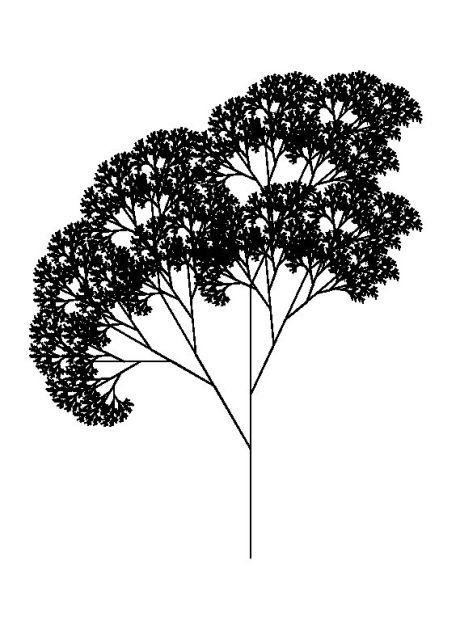 We had fun drawing a fractal snowflake last week. In today’s exercise, we will write a full library for turtle graphics. Our goal is to provide the commands described in Brian Harvey’s book about Logo. The turtle is a robotic device that moves and draws on a graphical output device (paper, screen) with a coordinate system that has x running west (negative) to east (positive) and y running south (negative) to north (positive); the ordinal compass points are 0 north, 90 east, 180 south and 270 west. Most commands ignore the global coordinate system in favor of commands from the turtle’s point of view, so instead of saying “turn to 135 degrees” a typical command is “turn right 45 degrees,” so that a shape can be drawn without knowledge of its global coordinates. The turtle commands are:
clearscreen— initialize the graphics system and place the turtle in the center of the graphical output pointing north
penup— remove the pen from the drawing surface
pendown— place the pen on the drawing surface
forwardn — move the turtle forward n steps, drawing a line if the pen is down
backn — move the turtle back n steps, drawing a line if the pen is down
leftn — rotate the turtle n degrees left from its current heading
rightn — rotate the turtle n degrees right from its current heading
setposx y — move the turtle from its current position to the indicated coordinates, drawing a line if the pen is down
setheadingn — rotate the turtle from its current heading to the indicated heading
pos— report the current position by its x and y coordinates
heading— report the current heading in degrees
Your task is to write a turtle graphics library. When you are finished, you are welcome to read or run a suggested solution, or to post your own solution or discuss the exercise in the comments below.
 Programming Praxis
A module in python 3 and an example tree rewritten. Uses pygame.
# myturtle.py import pygame import math _center = (400, 300) _pos = (0, 0) _ang = 0 _pen = False _surf = None _changed = True _color = (0, 0, 0) def init_turtle(surf): global _surf, _center _surf = surf _center = (_surf.get_width() // 2, _surf.get_height() // 2) def pendown(): global _pen _pen = True def penup(): global _pen _pen = False def clearscreen(): global _surf, _changed, _pos _surf.fill((255, 255, 255)) _pos = (0, 0) _changed = True def _fwdbackutil(v): global _surf, _pos, _ang, _changed vr = _rot(v, _convert_angle(_ang)) new_pos = _vsum(_pos, vr) if _pen: pygame.draw.aaline(_surf, _color, _convert_pos(_pos), _convert_pos(new_pos)) _changed = True _pos = new_pos def forward(n): _fwdbackutil((n, 0)) def back(n): _fwdbackutil((-n, 0)) def right(a): global _ang _ang += a while _ang > 360.0: _ang -= 360.0 def left(a): global _ang _ang -= a while _ang < 0.0: _ang += 360.0 def setpos(new_pos): global _surf, _pos, _changed if _pen: pygame.draw.aaline(_surf, _color, _convert_pos(_pos), _convert_pos(new_pos)) _changed = True _pos = new_pos def setheading(a): global _ang _ang = a def pos(): return _pos def heading(): return _ang def changed(): return _changed def _convert_angle(deg): return (90 - deg) / 360.0 * 2 * math.pi def _convert_pos(pos): return (pos[0] + _center[0], _center[1] - pos[1]) def _rot(v, a): sa = math.sin(a) ca = math.cos(a) return (v[0] * ca - v[1] * sa, v[0] * sa + v[1] * ca) def _vsum(x, y): return (x[0] + y[0], x[1] + y[1]) if __name__ == "__main__": print("usage: import myturtle") # turtledemo.py import pygame import os import time import math from myturtle import * def tree(r): if r < 5: forward(r) back(r) else: forward(r / 3) left(30) tree(r * 2 / 3) right(30) back(r / 3) forward(r / 2) right(25) tree(r / 2) left(25) back(r / 2) forward(r * 5 / 6) right(25) tree(r / 2) left(25) back(r * 5 / 6) os.environ['SDL_VIDEO_CENTERED'] = '1' pygame.init() mysurf = pygame.Surface((800, 600), depth=32) init_turtle(mysurf) clock = pygame.time.Clock() running = True try: screen = pygame.display.set_mode((800, 600)) pygame.display.flip() mysurf.fill((255, 255, 255)) g_surf = mysurf setpos((0, -300)) pendown() tree(400) while running: clock.tick(100) for evt in pygame.event.get(): if evt.type == pygame.KEYDOWN and evt.key == pygame.K_ESCAPE or \ evt.type == pygame.QUIT: running = False break screen.blit(mysurf, (0, 0)) pygame.display.flip() finally: pygame.quit()[…] you read books about Logo while you were a kid you remember all that fun with turtle graphics, using loops to draw circles and recursion to generate really complicated […]